How Many Listing Images Do You Need?

Oct 8, 2026 · 8 min read
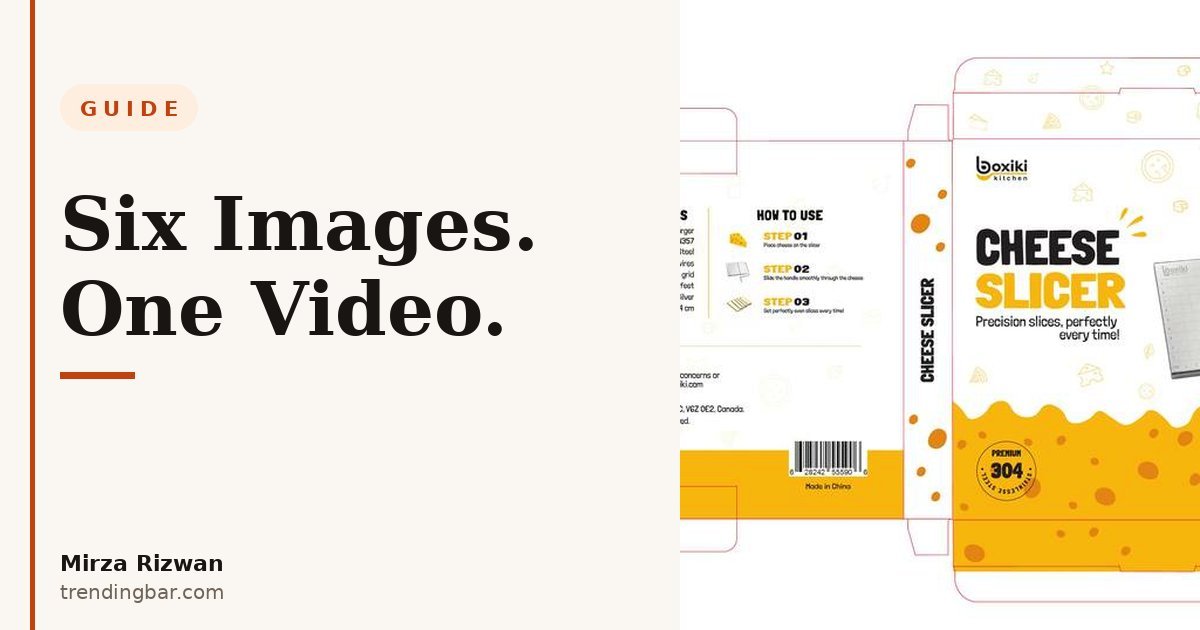
Sellers ask me this question more than almost any other. "How many images do I need, Mirza?" Usually they're hoping the answer is three. Sometimes they're hoping it's twelve, because a competitor has twelve and they think that's why the competitor is winning.
I've built listing image sets for eight years now, across kitchen, beauty, home, travel, you name it. And I'll tell you what I tell them: I've never seen a listing fail because it had five images instead of seven. I've seen plenty fail because image two, three and four were three slightly different angles of the same shot, all saying nothing. Count is a floor. Jobs are the strategy.
What does Amazon actually recommend?
Amazon recommends at least six images per product, and that's the floor you should build to. On its own seller guidance, Amazon says every product must have at least one image and recommends having at least six. Same page, same guidance: have the product fill 85% or more of the frame, and go larger than 1,000 pixels on each side so zoom works, because zoom is where shoppers inspect the details that decide a purchase.
Amazon puts it bluntly on that page: "Product photos can make or break a sale." That's not a designer talking. That's the marketplace telling you the gallery is a sales asset, not a filing requirement.
Here's the other number worth knowing. Amazon says Basic A+ Content can lift sales by up to 8%, and well-built Premium A+ by up to 20%. I bring that up in an image-count post for one reason: your gallery and your A+ are one continuous argument. The gallery gets the click and answers the fast questions. A+ handles the slower objections further down. If you starve the gallery, shoppers never scroll far enough to meet your A+. If you want the full picture of how the gallery itself should be built, my complete guide to Amazon listing images walks through the framework I use on every project at trendingbar.com.
The slot-by-slot map: what each image has to do
Each slot has one job, and if two images share a job, one of them is wasted space. Here's the exact map I build to, whether the product is a kitchen gadget or a travel accessory:
| Slot | Job | What the shopper should think |
|---|---|---|
| 1. Main image | Win the click in search results | "That's the one I searched for." |
| 2. Second angle | Confirm shape and build | "Okay, it's solid, not flimsy." |
| 3. Scale and size | Kill the size doubt | "That fits my counter / my bag / my hand." |
| 4. Infographic | Answer the top 2-3 questions fast | "It does the thing I need." |
| 5. Lifestyle | Show it in a real moment | "I can see myself using that." |
| 6. Detail close-up | Prove material and finish quality | "This isn't the cheap version." |
| 7. Video | Show what a still can't: motion, sound, sequence | "Now I get how it works." |
Notice what's not on this list: a second infographic saying the same thing louder, or three lifestyle shots in three kitchens. Repetition isn't reassurance. It's a skipped question. When I audit listings, the most common gallery problem isn't too few images. It's four images competing for the same job while the size question, the one that causes returns, sits unanswered. If you're not sure your main image is even compliant before you worry about slots five and six, run it against my 2026 main image compliance checklist first. A suppressed main image makes the rest of this conversation pointless.
And slot one deserves its own warning. When I audited 50 Amazon listing main images earlier this year, most of them failed on basic clarity: product too small in frame, busy backgrounds, nothing that reads at thumbnail size. I wrote up the full 50-listing audit findings if you want the receipts. The lesson transfers directly: your first image does more work than images four, five and six combined. Fund it accordingly.
When six images is too many, and when it isn't enough
Six images is too many when three of them are filler, and it isn't enough when your product has real variants, parts or steps that shoppers need to see. The count should follow the questions, not the other way round.
Let me be concrete. A simple product, one object, one use, no assembly? Six strong images genuinely cover it. Padding that set to nine with a packaging shot nobody asked about and two recycled angles doesn't add confidence. It adds swipe fatigue. On mobile, and most of your shoppers are on mobile, every extra weak image is a place where a thumb decides "I've seen enough" and backs out to your competitor.
A complex product is the opposite case. Multiple parts in the box? Show the full contents laid out, named. Assembly steps? One clean step image saves you a hundred "missing parts" reviews. Variants in size or colour? Group them in one comparison visual instead of making shoppers guess from the dropdown. In those listings I'll happily go past six stills, because every added image retires a real objection. That's the test I use on my own work: name the question this image answers, out loud, in one sentence. Can't name it? The image doesn't ship. I made the same argument from the other direction in why your listing images are salespeople, not art: every slot is an employee. You wouldn't hire three people to do one job and leave another job empty.
Where does the video slot earn its place?
Video earns its place when your product moves, makes a sound, or needs a sequence to understand, and it should sit after your stills have answered the static questions. Amazon counts video as part of that recommended set for a reason: some things a still image simply cannot prove.
Think about what a still can't do. It can't show how fast something works. It can't show the click, the seal, the pour, the fold. It definitely can't show "before, problem, after" in two seconds. A 20 to 30 second video that opens on the product already in use (not a logo, not a slow zoom, the actual use) does all of that. I've watched sellers resist video for months because they think it needs a production crew. It doesn't. A phone on a tripod, daylight from a window, hands doing the real task, no voiceover needed if the action is clear. The bar isn't cinema. The bar is "could a stranger understand this product faster with sound off?" If yes, shoot it.
One honest limit: video doesn't rescue a weak main image. Shoppers meet your stills in search results first. Video is the closer, not the opener. Get slots one to three right before you spend an hour on slot seven. If you want to see how the whole set fits together as one story, I break down my slot order in my guide to designing listing images that convert.
My checklist before any gallery goes live
I run this exact checklist before I upload a single file, and it catches something almost every time:
- Main image: pure white background (RGB 255, 255, 255), product filling 85%+ of the frame, 2,000 pixels or more on the long side so zoom stays crisp.
- One job per slot, named out loud. If I can't name it, the image gets cut or reshot.
- Size answered visually by slot three at the latest, with a hand, a counter or a common object for scale. Dimensions text alone doesn't count.
- Every infographic readable at phone size. If I have to pinch to read it, the shopper won't bother.
- One lifestyle image that looks like a real home, not a showroom. Real context builds more trust than perfect styling.
- Video under 30 seconds, product in use inside the first three seconds, understandable with the sound off.
- File names that describe the product and slot, not "IMG_2041.jpg". Small thing, but it's free clarity for anyone managing the listing later.
That's it. No secret number, no magic count. Six images and a video, every slot with a job, checked against the list above. Do that and your gallery is already ahead of most of the first page in your category, because most of the first page is still three angles and a prayer.
I'm Mirza Rizwan, and this is the system I use on client work at trendingbar.com. If your gallery has dead slots, or you're launching and want the set built right the first time, I offer a free listing audit: send me your link through my contact page and I'll tell you exactly which slots are earning their place and which ones are just taking up space, within 48 hours.